The system that brings order to your auto repair shop
MecaBitCR runs your whole shop in one place: from the moment a vehicle arrives until the customer picks it up, and after. Less paper, fewer phone calls, fewer disputes.
- Designed for Costa Rican workshops
- Born in a real workshop that uses and recommends it
- Web and Android app
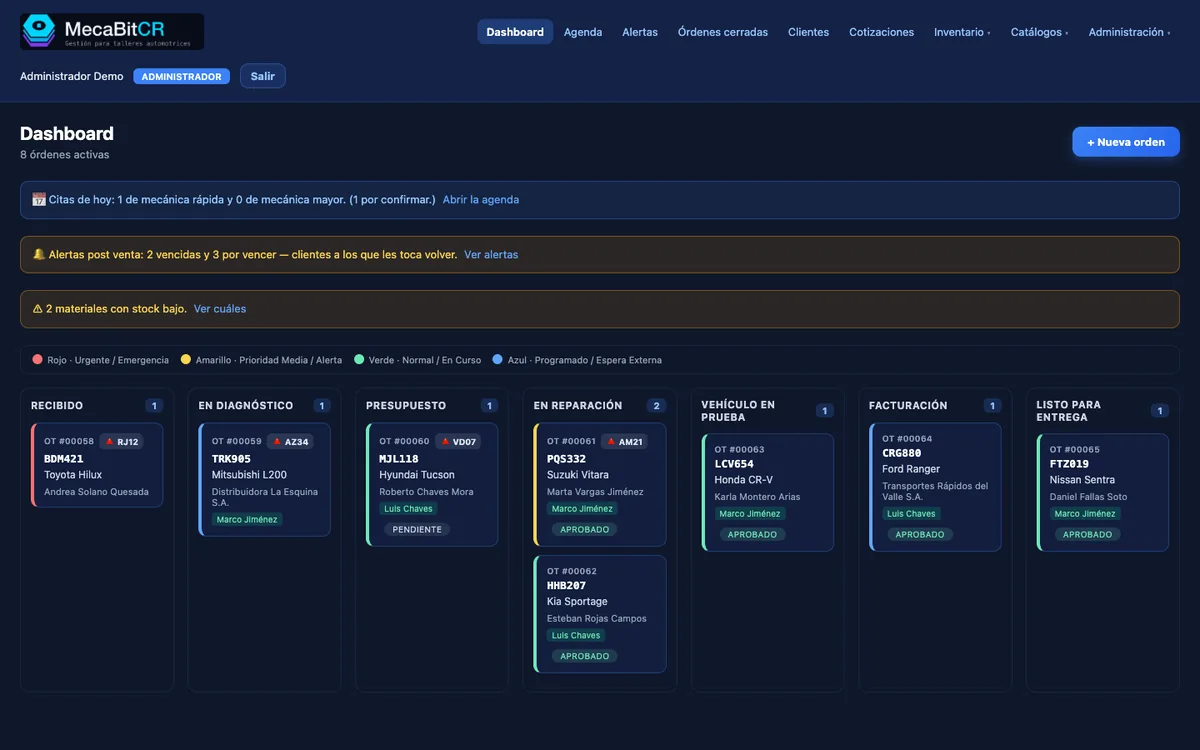
Screens show demo data.
Sound familiar?
These are the everyday headaches of almost every shop. MecaBitCR was built to solve them.
- Paper work orders that get lost
- Customers calling to ask “is my car ready yet?”
- Quotes approved verbally and disputed later
- Claims about damage, fuel or parts, with no evidence
- Invoices made separately, by hand, with mistakes
- Customers who never come back because nobody told them it was time
How it works, step by step
Every vehicle follows the same path, and everyone in the shop sees where it stands.
Intake
The vehicle is registered with its customer, mileage and fuel level, signed off.
Inspection
The mechanic checks point by point and marks green, yellow or red.
Quote
Services and parts with total and tax; the customer approves line by line.
Repair
Materials, photos and a history of who did what and when.
Delivery
Documents with your shop’s branding and e-invoicing from the same order.
Aftersales
Reminders so customers come back when it is due.
What your shop sees and uses every day
Real MecaBitCR screens with demo data.
Your whole shop on one board
Every order in its stage: received, diagnosis, quote, repair, test drive, invoicing and delivery. Plate, vehicle, customer and mechanic at a glance, with the day’s alerts on top.
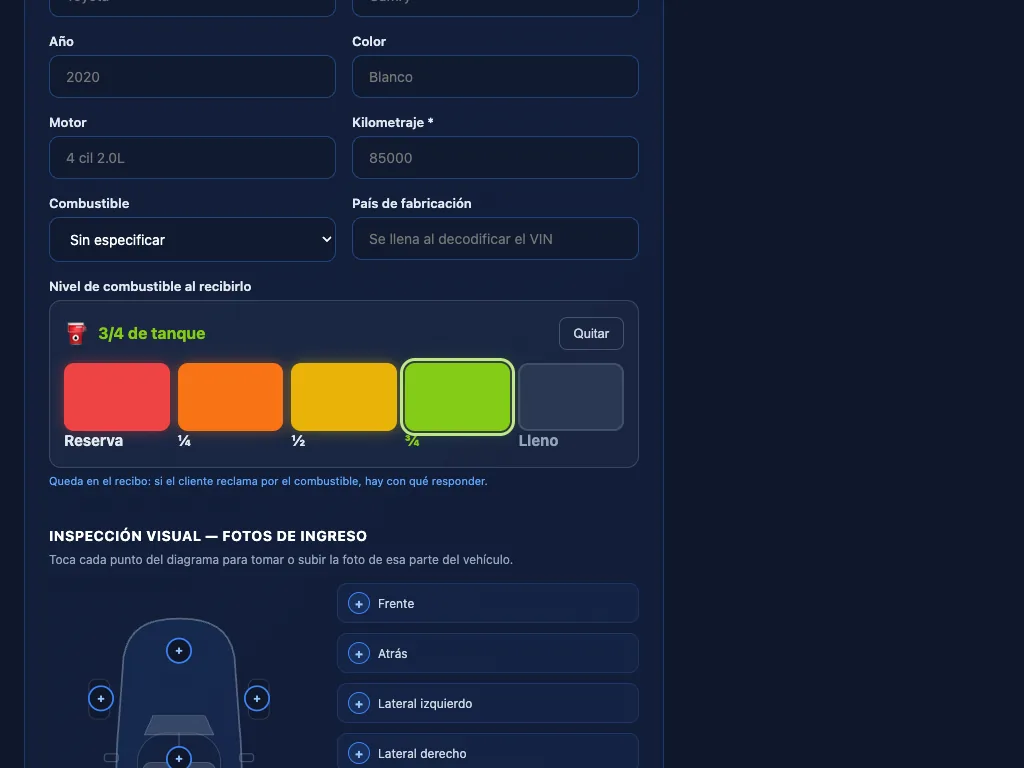
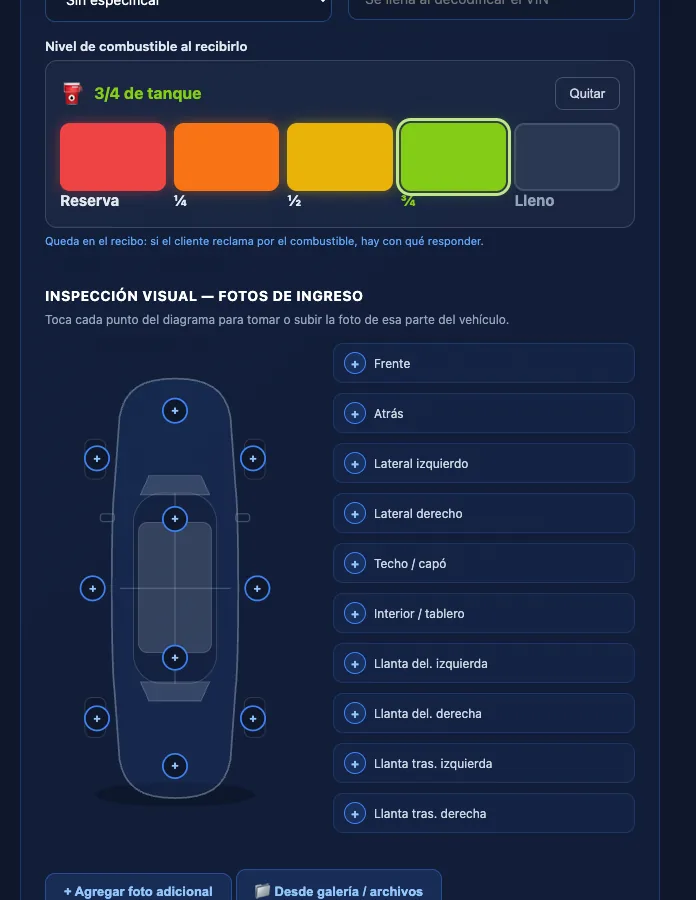
Fast intake, from the tablet too
Register customer and vehicle in a minute. Fuel level is set with a tap on a gauge, leaving a record of how the vehicle came in.
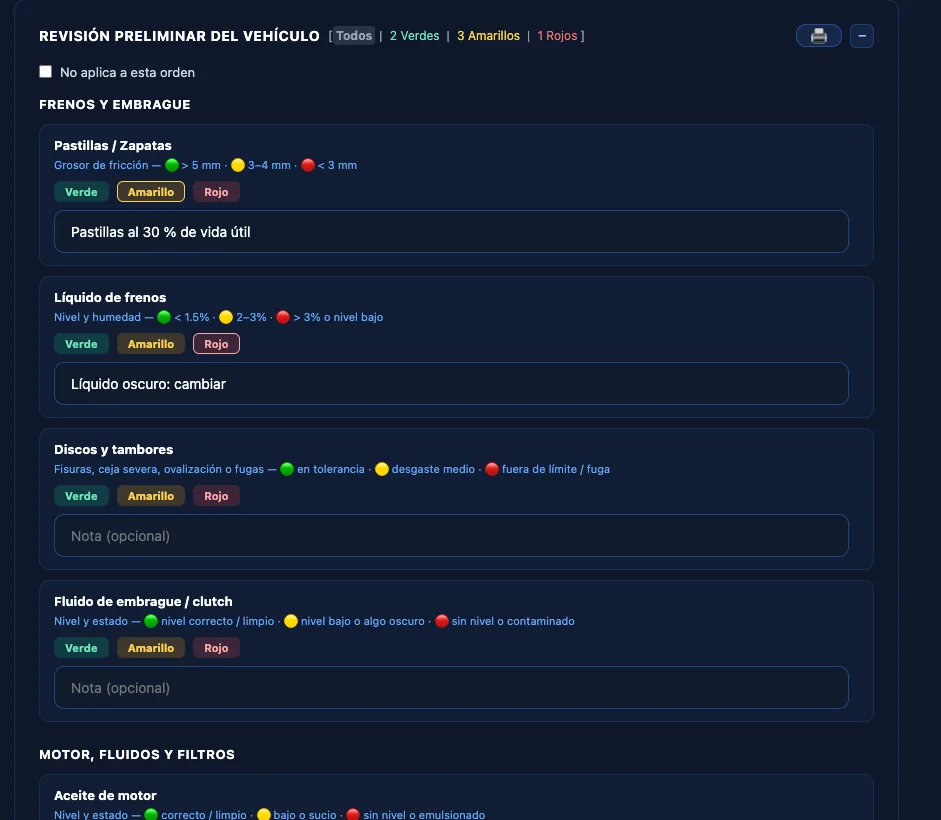
Traffic-light inspection
Brakes, fluids, filters, suspension, tires and electrical: green, yellow or red, with notes. The basis for explaining to the customer what is urgent and what can wait.
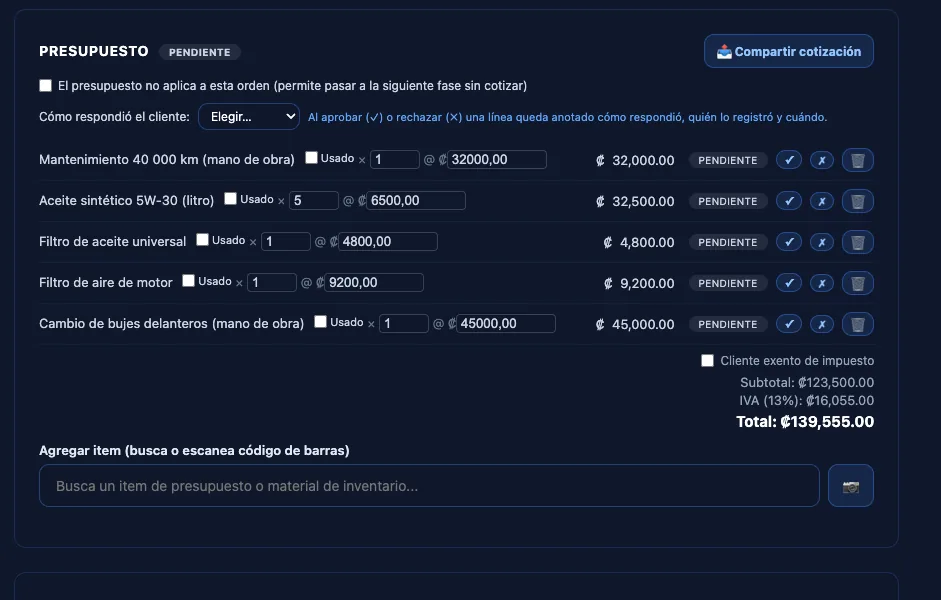
Quote approved line by line
Each service and part is approved or declined separately, with the date and who recorded it. No more arguments about what was authorized.
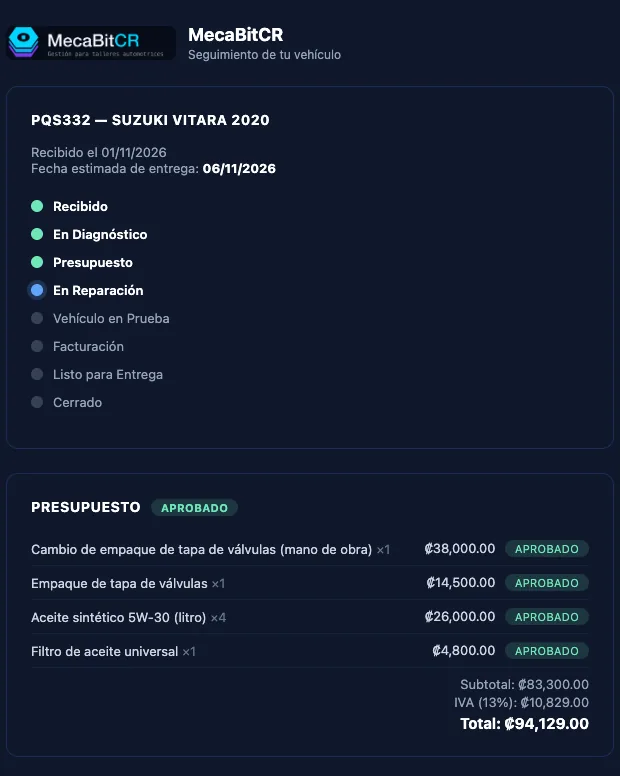
Your customer sees how the vehicle is going
One link shows them on their phone the stage, the estimated date and what they approved, with no call to the shop and nothing to install. You decide which photos and videos they can see.
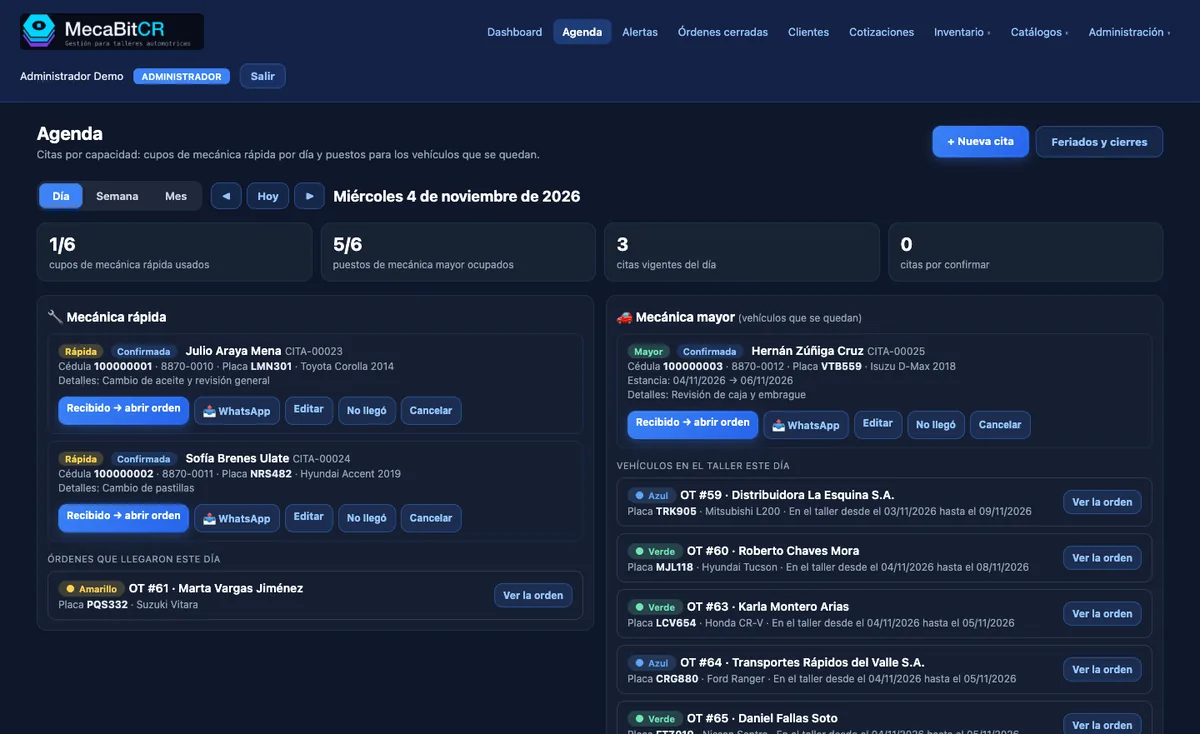
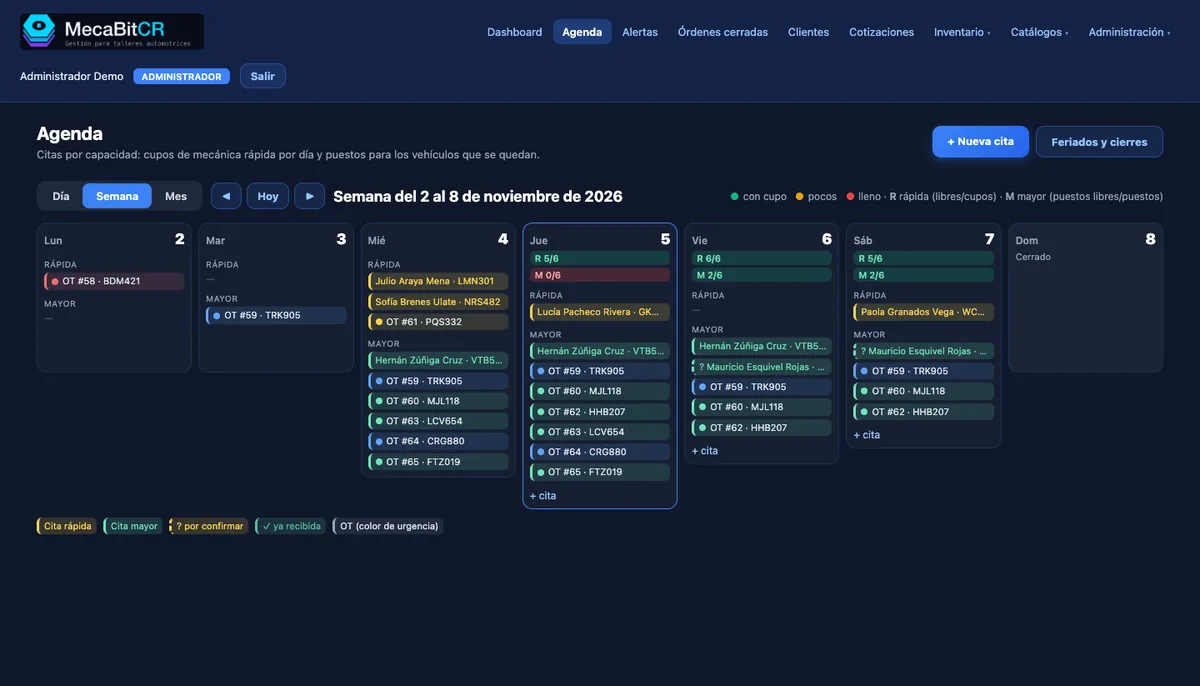
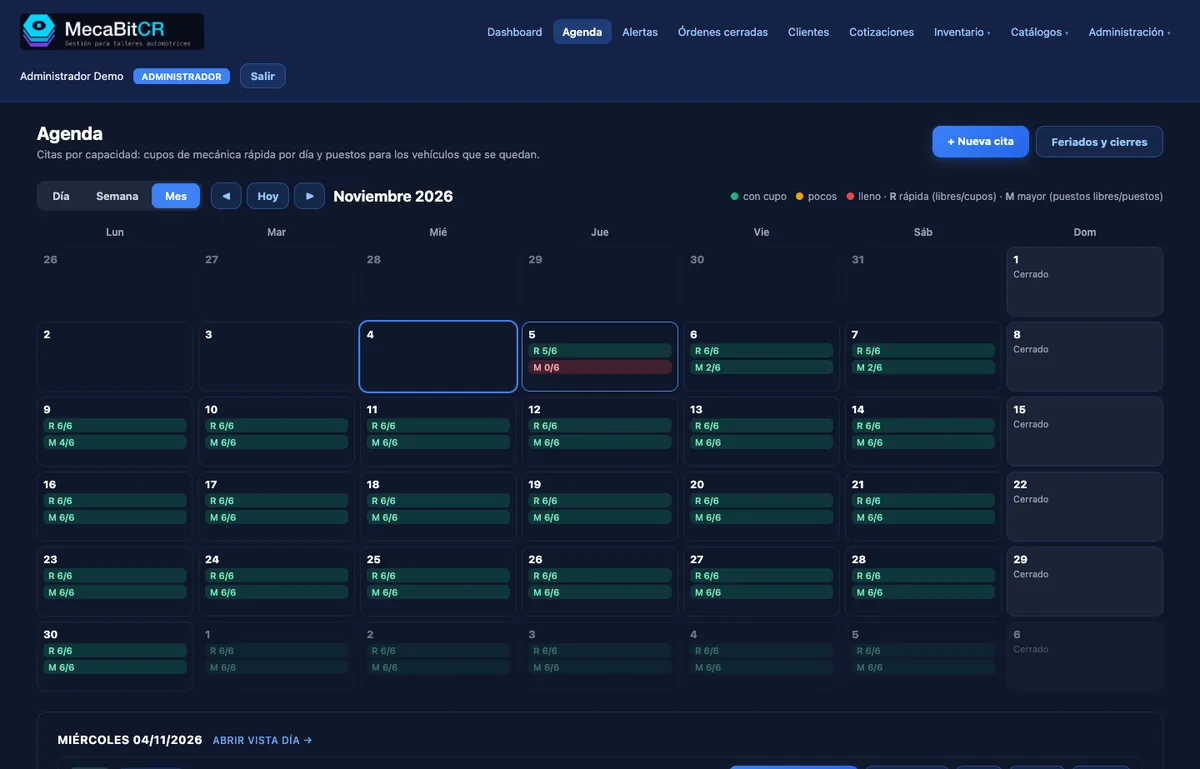
Capacity-based scheduling
Counts quick-service slots and bays for vehicles that stay several days. Warns when a day is full, and you open the order from the appointment in one click.
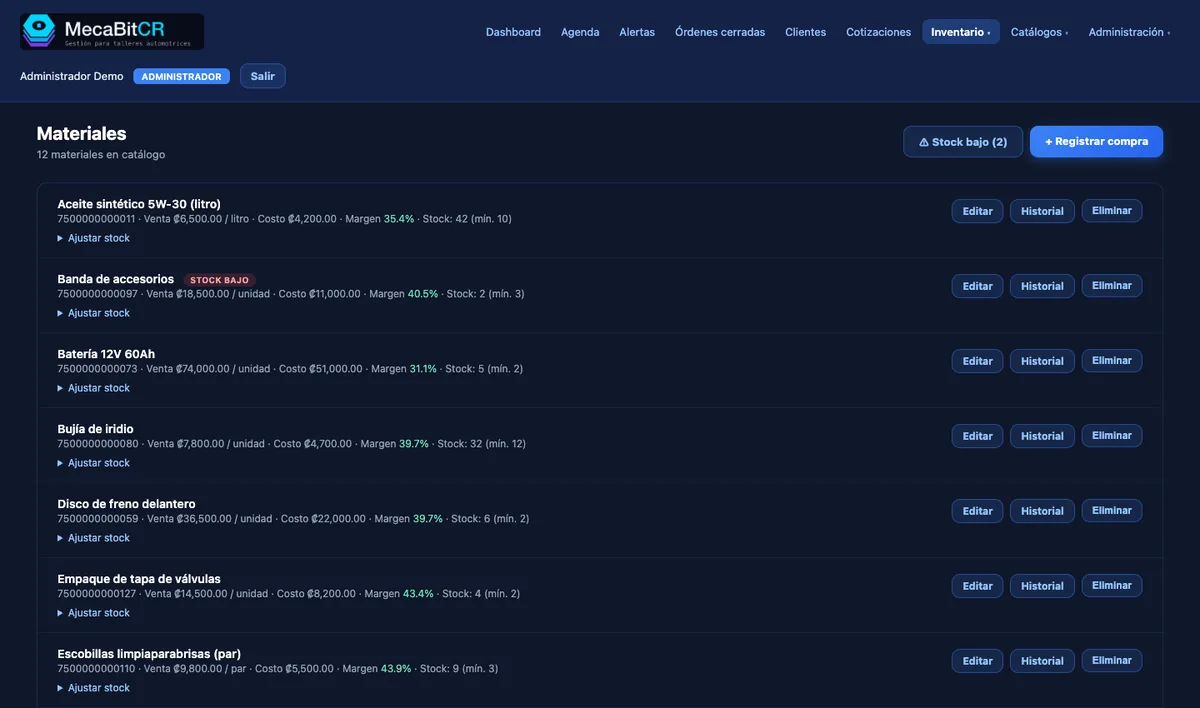
Inventory that warns you
Stock, minimum levels and supplier per item. Deducts what is used on each order and warns you when something is running low.
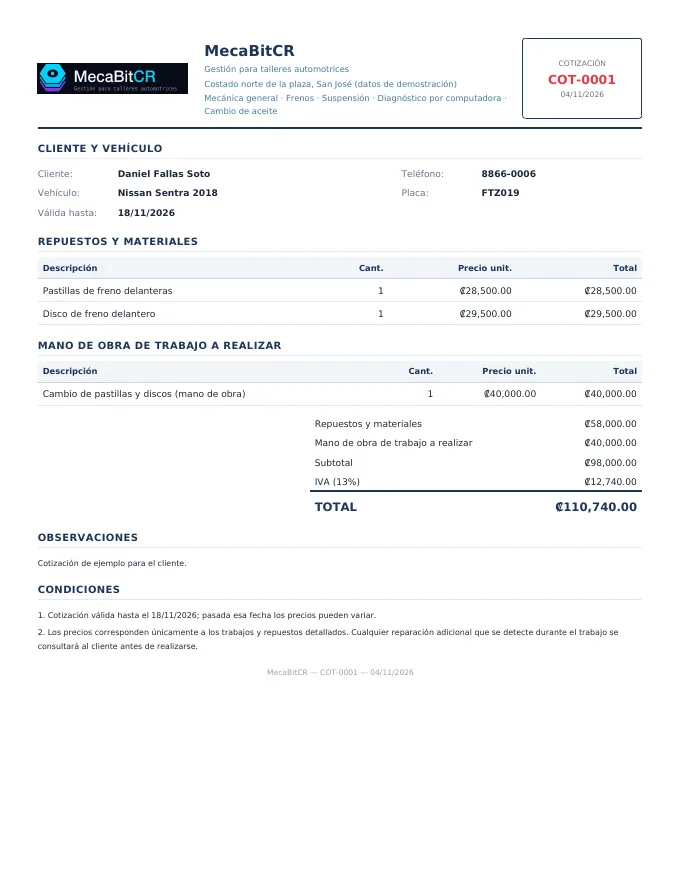
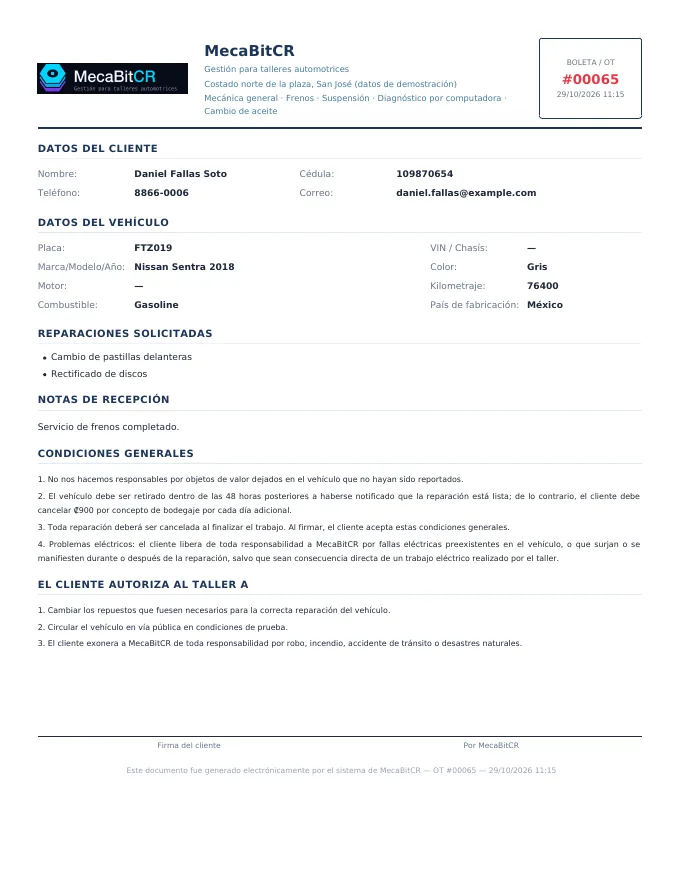
Documents with your shop’s branding
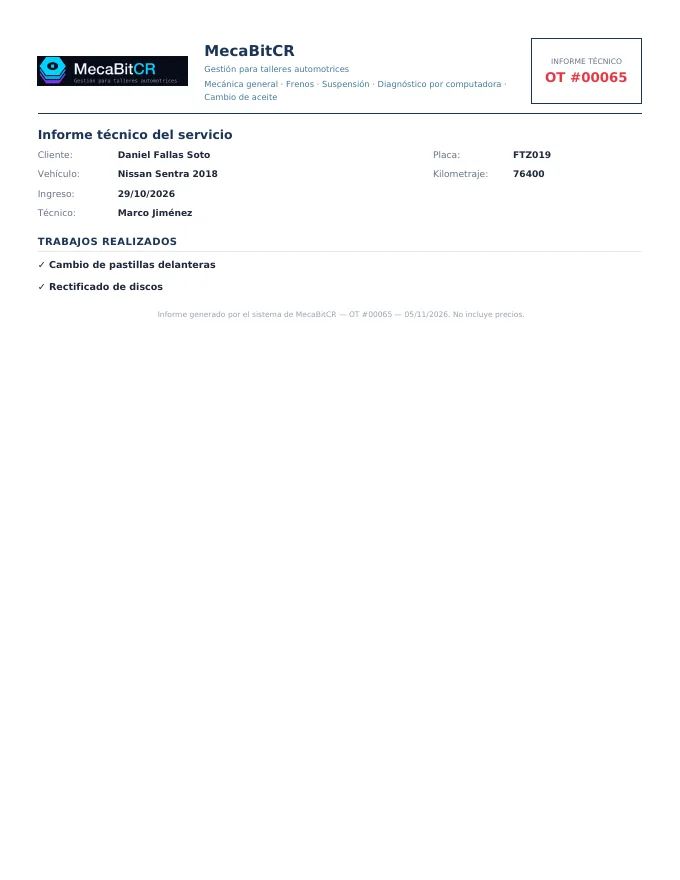
Quotes with sequence numbers and validity, a signed intake receipt and a technical report for the customer, all with your logo and details.
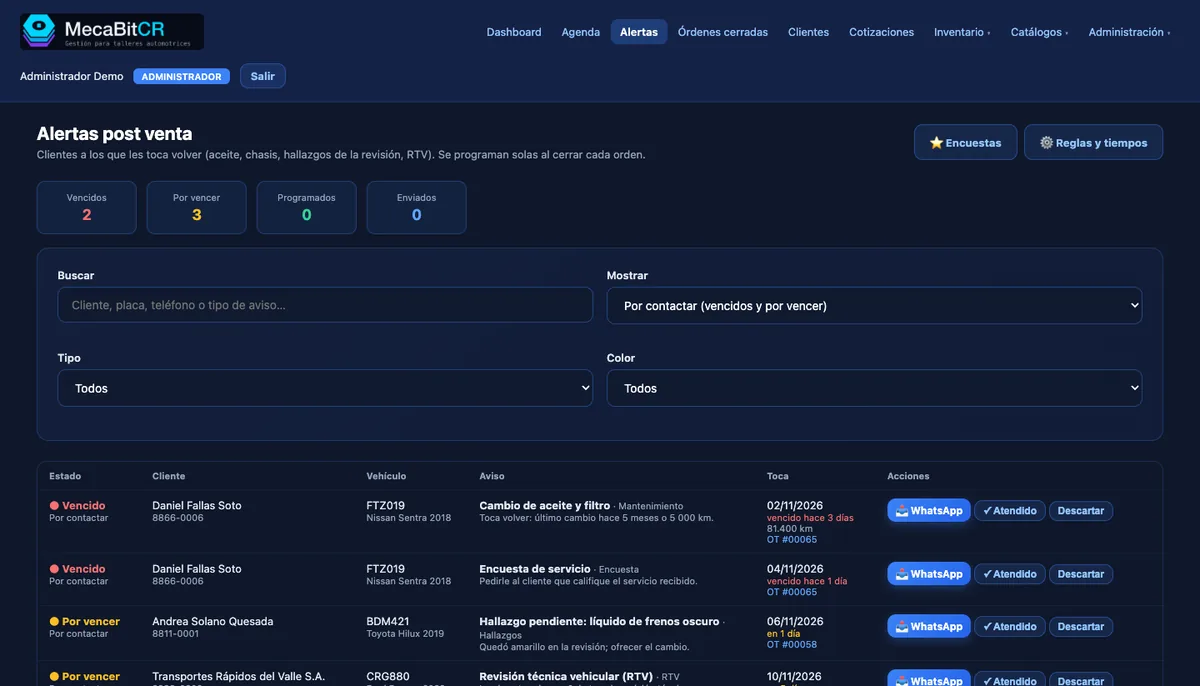
Aftersales: bring customers back
When an order closes, reminders are scheduled (oil change, inspection, chassis parts, pending findings) so you know who to call.
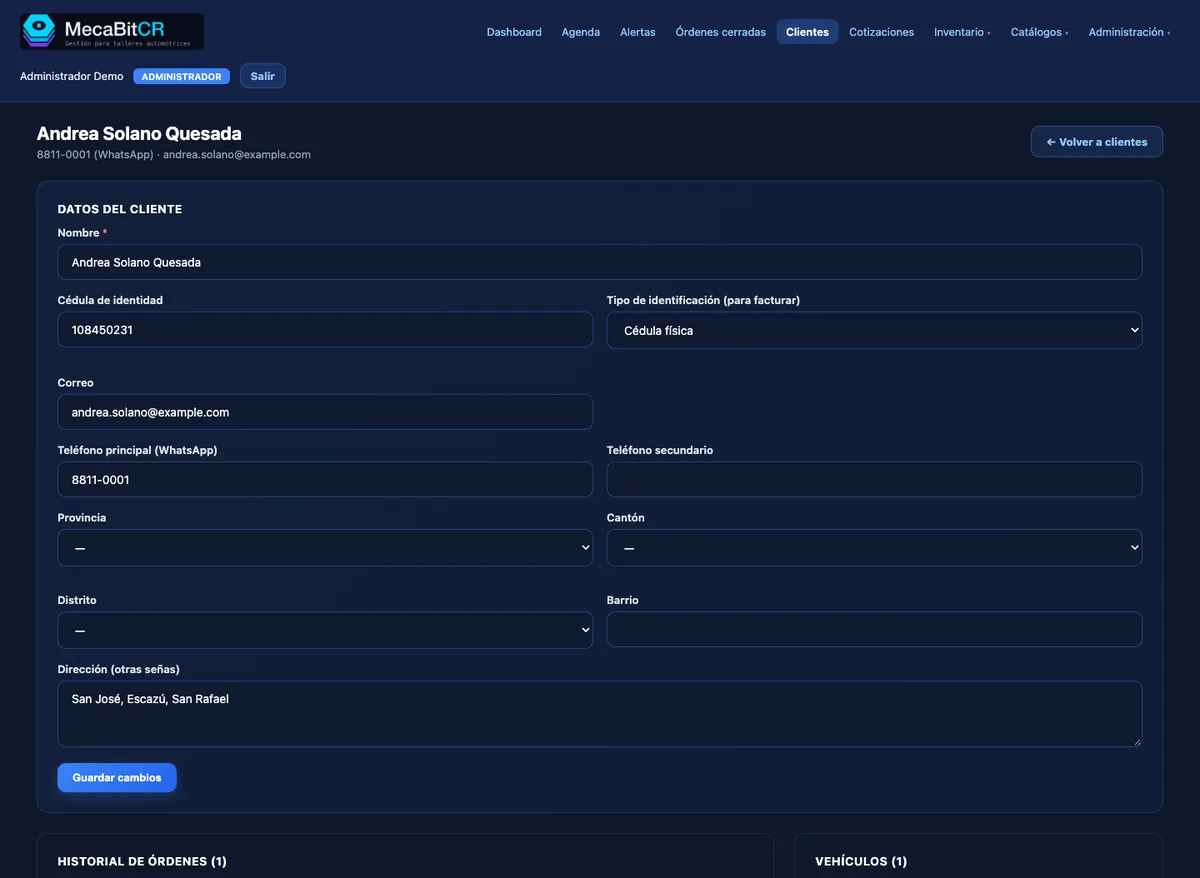
Every customer with their history
Vehicles, previous orders and tax details on one record, with duplicate detection to keep your database clean.
Made for Costa Rica
magasoft.tech built MecaBitCR around how an auto repair shop actually works in Costa Rica.
E-invoicing
Issued from the same order to Hacienda (version 4.4), emailed to the customer and cancellable with a credit note.
Colones and VAT
Totals with VAT are calculated automatically in the quote.
ID, plate and inspection
Customer tax details, license plates and RTV inspection reminders.
In Costa Rican Spanish
Screens, documents and messages written for your team and your customers.
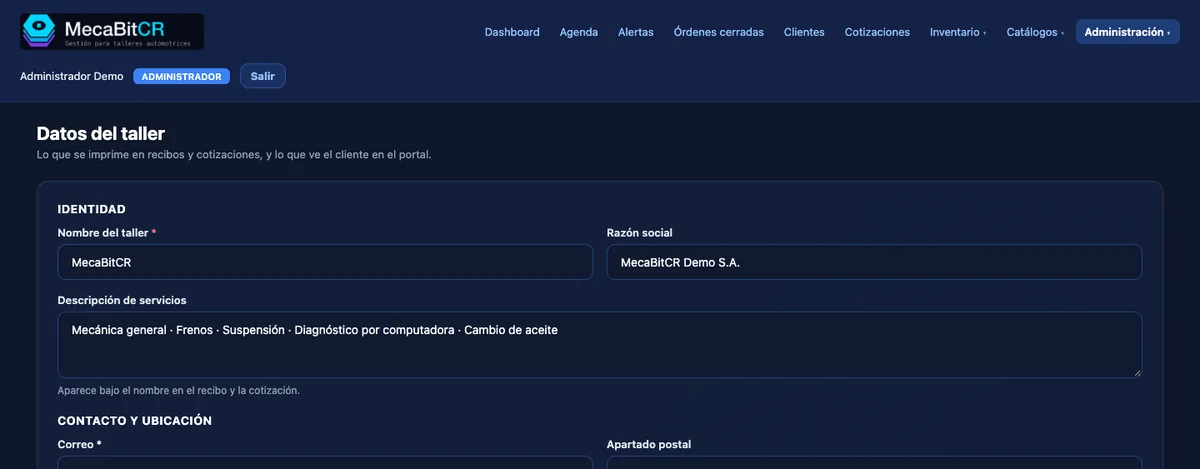
One workshop, its own identity
Each shop has its own space: its name, logo, users and data, never mixed with others. Documents go out with your branding. Users have roles (administration, supervision, reception and mechanics) and everyone sees and edits only what applies to them.
On your Android tablet too
MecaBitCR works from the browser and has an Android app, which you download directly from inside the application.
Frequently asked questions
What is MecaBitCR and who builds it?
It is a management system for auto repair shops, built by MagaSoft (magasoft.tech) in Costa Rica. It was born in a real workshop that uses and recommends it.
How much does it cost?
It depends on your shop’s needs. Request a demo or a quote and we will reply with a proposal.
Do I need to install anything?
It runs in the browser. For Android tablets there is an app you download directly from inside the application. Your customers install nothing: they follow progress from a link.
Is it suitable for a small shop?
Yes. Each shop uses what it needs and has its own space, with its own users and data.
Does it handle e-invoicing?
Yes, e-invoices are issued from the same order to Hacienda (version 4.4).
Is my data separate from other shops?
Yes. Each shop has its own space and users only see what their role allows.
Is there an iPhone version?
For now the app is Android only. In the browser it works on any device.
Request your demo
Tell us about your shop and we will get back to you to arrange a demo or send a quote.
You can also reach us:
info@mecabitcr.com
WhatsApp +506 6261 6338